Downloads
Download the files for this site – but some info first…
Duplicator zip file:
- Includes ‘installer.php’. Separately extract this file and upload both the zip, and the ‘installer.php’ file to the target (website “base” folder). The target folder should be empty (in particular be sure to delete any default.php or index.html page files).
- Visit the site. (You should get an error because you have no default page. This is normal.).
- Input the ‘installer.php’ eg. so that your site URL is now like, my.site.tld/installer.php
- The Duplicator installer page should load up. You will need database credentials. If you are running on a live site (not “local”) you better be sure you have good names and passwords.
- (Likewise… your WordPress account for the site – your username should include some complexity (eg. yourfirstname.surname initial) and your logon password definitely needs to be “strong”.
WP Vivid zip file:
- Use this just as you’d typically use WP Vivid 😁
- So that is, your target website will need WordPress already installed and running and you will need the WP Vivid plugin installed and active.
- So in WP Vivid on the target site, upload the WP Vivid zip file.
- Then do a Restore.
One distinct advantage with the Duplicator method is that you do not need a functioning WordPress website for the target. Indeed the target can be (indeed should be) entirely empty.
Furthermore, in the case of an infected site – this is indeed a great way to get yourself back up and running… delete everything on the target site. Create a new database, user and credentials – and restore from a known good Duplicator backup.
For a local dev environment (on your own PC) you will of course, need the typical WordPress environment: Apache (the webserver), MySQL (the database) and PHP (the runtime environment). So you’ll need a WAMP (Windows) or LAMP stack (Linux).
An excellent WAMP stack (ie a Windows environment) is Laragon – which has everything you need out-of-the-box and runs very fast under Windows. It is also easy to upgrade each “unit” (Apache, MySQL (or MariaDB), PHP, Heidi SQL (but can be changed to use the ever popular phpMyAdmin) and caching too with Redis and MemCached.
You can visit the Laragon website here.
5/11/2024: A new version of Largaon is due out soon!
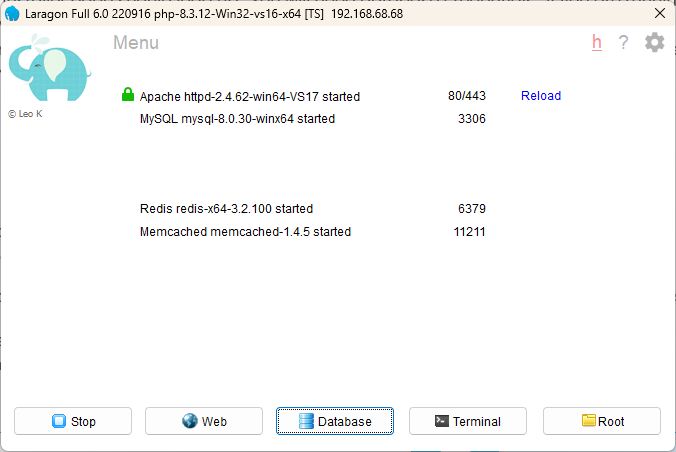
I’ve tried every environment and nothing comes close to the speed of Laragon – even entirely native Linux environments don’t run as quick.
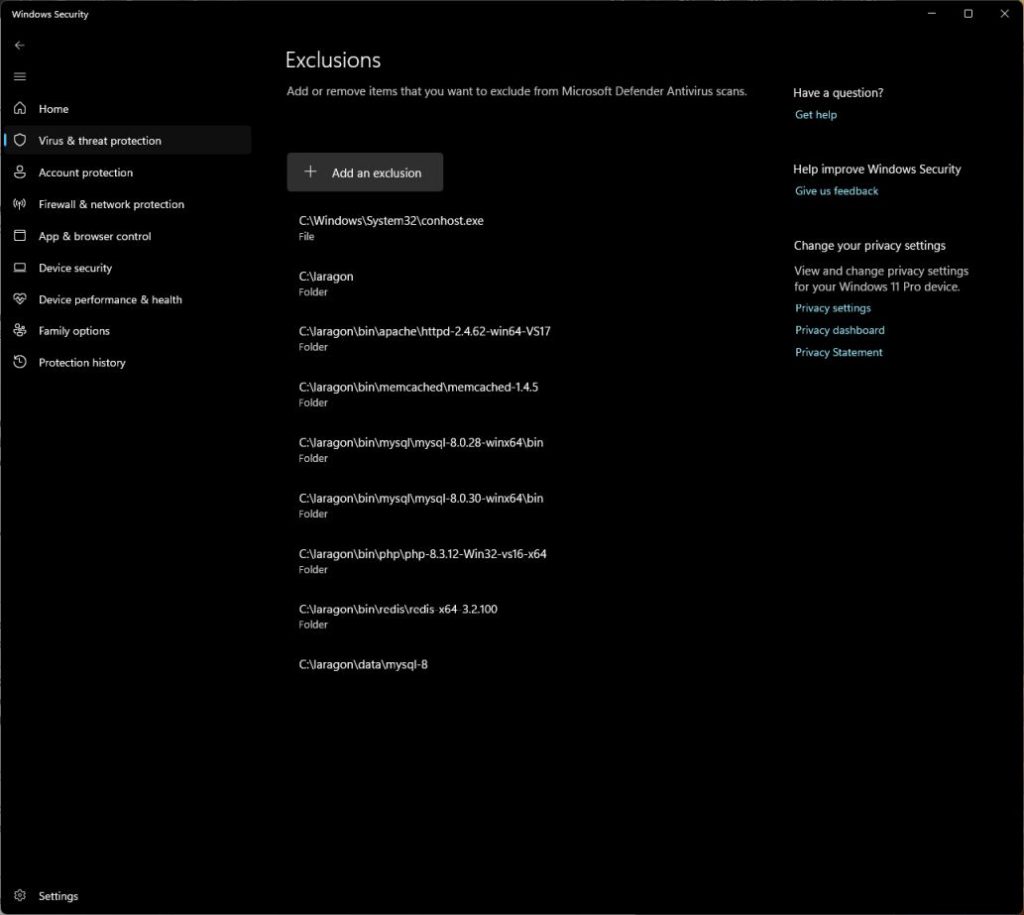
Tip: with Laragon running, go into Task Manager and identify the running Laragon processes and exclude them from ‘Windows Security’ (or whatever AV product you may be running).
For Linux (a LAMP stack) – well, it’s the native environment, so um, install whatever you need in the usual way you’d do it.
If you’ve a Linux environment I presume you know what you’re doing.
Download this Bricks Builder blueprint site...
Download the Duplicator zip file here.
Download the WP Vivid backup file here.
(NB: if there are no links on “here” just above – that’s because this is not YOUR Bricks blueprint site – and you are not getting my Bricks licence key! – Buy your own! 😎🍺
Bricks is a commercial product.)
You can visit the Bricks Builder site here (link opens in a new tab).
Other downloads...
Dave Foy’s fluid typography zip file – download here.
The Theme – export the Theme from this site and import it to your site.
NB: Check Header and Footer conditions afterwards (I’ve noted they become unset in Bricks V1.11).